Autopilot
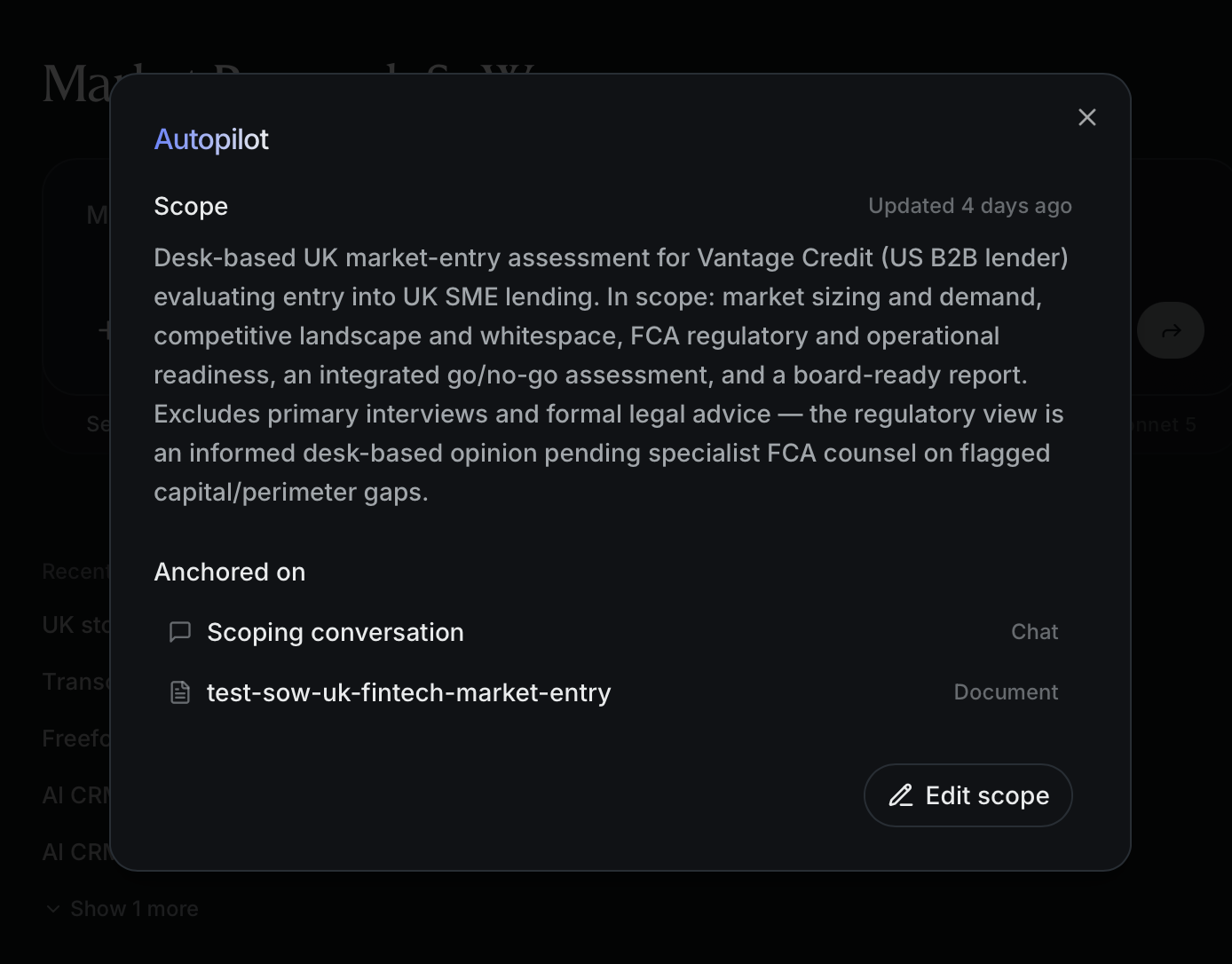
Set how proactively AltStudio works a project against its scope — from keeping watch and surfacing opportunities, to planning and running the whole engagement.
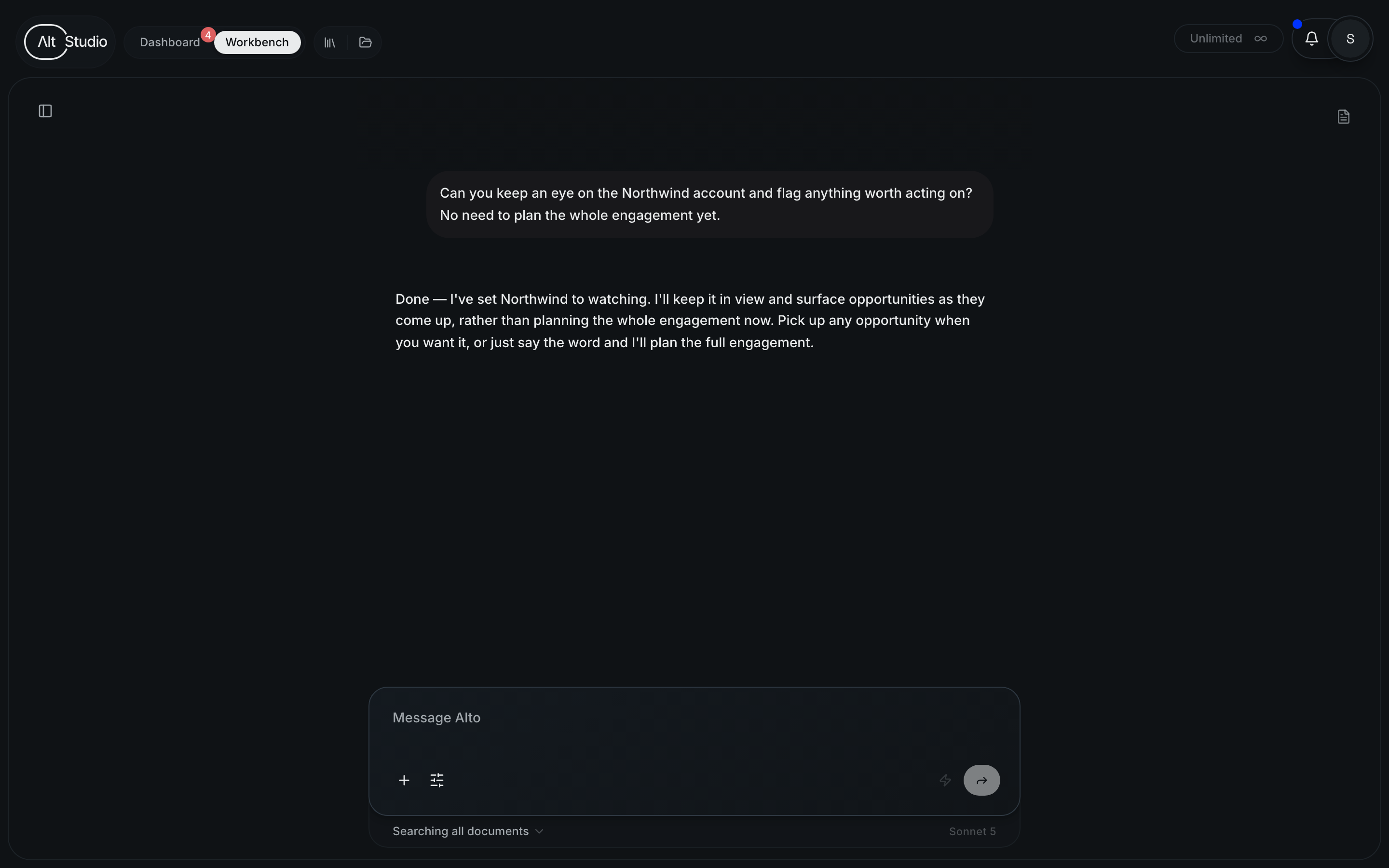
When a project has a scope, AltStudio can work it on your behalf — turning that scope into actual work. Autopilot is the dial for how proactively it does that — and you set it the same way you do everything else: just tell Alto, in plain language, how you want the project handled. There's no switch to flip. Describe a body of work you want moving and it plans it; say "just keep an eye on this and flag anything relevant" and it keeps watch instead. Alto reads your intent and sets the posture to match.
Whichever posture you choose, nothing lands without your say-so — work is always proposed for your review, never executed unannounced.
The two modes
| Mode | What AltStudio does |
|---|---|
| Executing (default) | Once the scope is set, it plans the whole engagement — decomposing the scope into the pieces of work it implies and proposing them for approval. Best when you know the shape of the work and want it moving. |
| Watching | It treats the scope as a standing remit and doesn't plan everything up front. Instead it keeps watch and surfaces opportunities — clearly-warranted pieces of work — as they arise, for you to pick up. Best for accounts and areas you want kept an eye on without a full plan. |
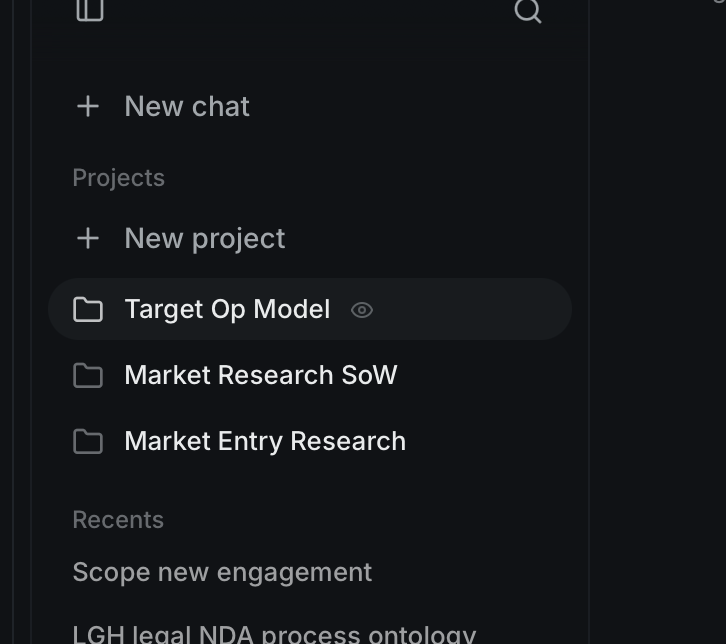
You pick the mode by how you describe the project, not by setting a field. Frame it as a plan and Alto runs it (Executing, the default); ask it to "keep an eye on this" and it sets the project to Watching instead — marked with an eye icon in your project list.
Watching, in depth
Watching turns a project's scope into a remit: a standing description of what this engagement is about and what's worth surfacing. Rather than decomposing that remit into a plan, Autopilot runs a quiet opportunity loop.
As new context arrives — meetings, documents, changes in your knowledge — it checks what's happened against the remit and, for each clearly warranted piece of work, surfaces an opportunity: a short card with a title, a summary, and why it's worth doing. It won't flood you — only well-founded suggestions, and it won't repeat one it's already raised.
It watches against the remit
You give the project a scope; Autopilot holds it as a remit and watches for things that matter to it.
It surfaces opportunities
Warranted work shows up as an opportunity card — not a task that's already running, just a suggestion with its reasoning, for you to weigh.
You decide
Approve an opportunity and AltStudio composes that specific piece of work. Ignore it and nothing happens. When you're ready to go all-in, just tell Alto — "plan the whole engagement" — and it switches to Executing and plans it. That step is always your call; a watching project never promotes itself.
Opportunities are suggestions, not actions. Approving one is what turns it into real work — until then, a watching project only ever proposes.
Where you set it and see it
- Set it in conversation. Tell Alto how you want the project worked — when you scope it, or any time after. It sets the posture from what you say; you don't edit a setting.
- See it in the project's Autopilot panel. The panel shows the current scope and posture, so you can check where a project stands at a glance.
- See its activity on your Dashboard. Autopilot's opportunities and in-flight work surface there (in the "Worth thinking about" and "In motion" rails), so you have one place to catch what it's raised and what's running.