Connector catalog
The external services you can connect to AltStudio today — CRMs, trackers, docs, meetings, and more — so Alto and agents can work with their tools and data.
These are the services you can connect from Settings → Connectors to bring external tools and context into AltStudio. Once connected, a service's tools are available to Alto in a conversation and to nodes on the canvas — see using connector tools.
Connectors come in two kinds:
- MCP servers — services with an official hosted MCP server that AltStudio connects to and discovers tools from.
- Built-in integrations — services AltStudio integrates with directly.
Available connectors
| Connector | Category | Type | What it brings in |
|---|---|---|---|
| Attio | CRM | MCP server | People, companies, deals, lists, notes, and tasks. |
| Airtable | Databases | MCP server | Records and base schema — read, create, and update. |
| Linear | Project tracking | MCP server | Issues, projects, and teams. |
| Atlassian (Jira & Confluence) | Project tracking | MCP server | Jira issues & projects and Confluence pages. |
| monday.com | Project tracking | MCP server | Boards, items, and updates. |
| Notion | Docs & knowledge | MCP server | Pages, databases, and workspace content. |
| Granola | Meetings | MCP server | Meeting notes and transcripts. |
| Sentry | Monitoring | MCP server | Issues and errors across your projects. |
| Wix | Web | MCP server | Site content and store. |
| Webflow | Publishing | Integration | Site structure and content — including publishing updates. |
| Canva | Design | Integration | Design assets and creation. |
The connectors available to you — and their exact status — are shown in Settings → Connectors, which is the live source of truth. The catalog is expanding, so you may see additional services there; some newer ones can need extra setup before they're ready to use.
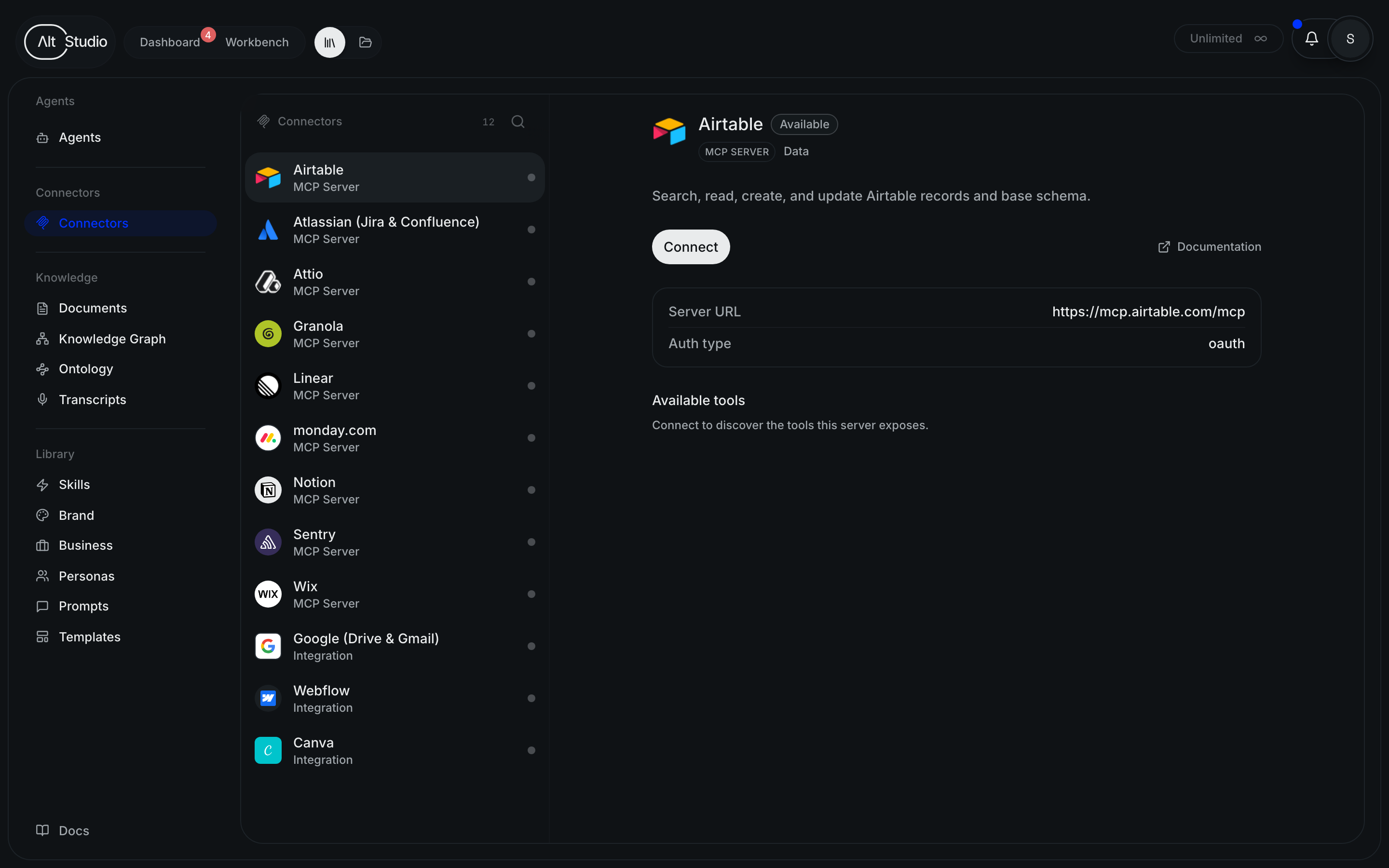
Connecting one
Each connector is added and authenticated from Settings → Connectors. MCP servers use an OAuth sign-in (or an API key); built-in integrations use their own sign-in. The full walkthrough is in connecting an MCP server.