The memory curator
A background curator that keeps your knowledge graph deduplicated and its summaries fresh — so every agent reads from a cleaner, more current store, with no upkeep from you.
A knowledge store slowly rots if nothing tends it. Two entities get created for the same company under slightly different names. A cached summary of what you know about a client drifts out of date as new meetings and documents come in — and once it's stale, the platform stops trusting it, so it quietly stops informing answers. Left alone, quality decays between clean-ups.
The memory curator is the repair loop. It's a background agent that runs overnight to keep your knowledge graph deduplicated and its summaries current — so Alto, agents, and everything else wake up to a cleaner, more accurate store.
The platform has always been able to detect this kind of drift. The curator is what finally repairs it — instead of quality only holding until the next manual tidy-up, it holds steady on its own.
How a night works
The curator works in a simple nightly cycle. You're only ever involved at one step — approving merges — and even that can wait.
Detect
Overnight, a quick, deterministic sweep scans your knowledge store and writes what it finds to a running to-do list. No AI, no changes to your data — it only notes issues: duplicate entities, stale summaries, and a couple of lower-priority signals (unreferenced facts, and internal state that's grown large).
Repair
A little later, the curator agent works through that list in one short, bounded pass — a few items of each kind, most important first:
- Duplicates — it compares the two entities and, if they're genuinely the same thing, files a merge proposal for you. It never merges on its own.
- Stale summaries — it opens the entity's actual sources (transcripts, documents), rewrites the summary to reflect what they say now, and stamps it fresh — which makes it visible to agents again.
It handles what it can, skips anything it's unsure about (noting why), and reports honestly what it actually did. Whatever it doesn't reach stays on the list for the next night.
Approve
Merge proposals surface on your Dashboard, in the Worth thinking about rail. Open one and you get a review panel: which entity is kept (and any rename), what gets merged in and archived, and the curator's reasoning — with Approve merge or Not the same.
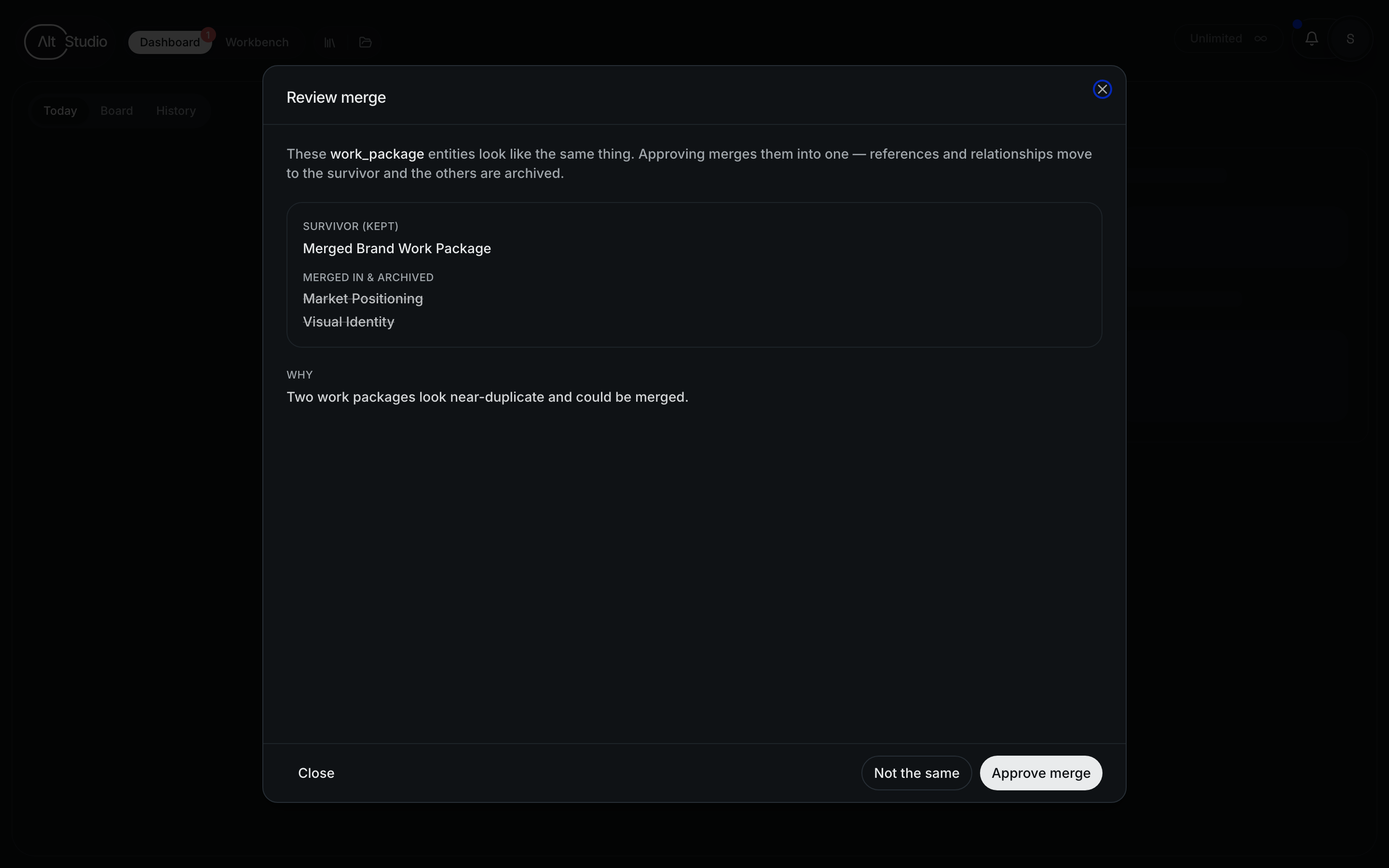
Approving runs the merge: all references and relationships re-point onto the surviving entity, and the others are archived, never deleted — so it's fully reversible from the revision history.
Confirm
The next night's sweep sees the refreshed summary or completed merge, finds the problem gone, and clears it from the list automatically. The to-do list reflects reality rather than the agent's claims — so it's self-correcting.
What it repairs
Today the curator acts on the two highest-value kinds of rot:
- Duplicate entities — proposed for merge, subject to your approval.
- Stale summaries — refreshed from their real sources so they're accurate and usable again.
It also spots unreferenced, unverified facts and oversized internal state and reports their counts, but doesn't act on those yet — those are for a later phase.
Why it's safe to trust
The curator is built to be careful, on three principles:
- It proposes; you approve anything destructive. The curator never merges entities on its own — a merge only happens when you approve it.
- Every change is auditable and reversible. Each mutation writes a revision to the entity's history, and merges archive the losing record rather than delete it — so nothing is ever truly lost.
- The sweep is the source of truth. The curator can't quietly corrupt the record: if it over-claims or half-finishes, the next night's sweep simply catches the still-open issue and re-queues it. Each pass is bounded so it always finishes cleanly.
Turning it on
The memory curator is off by default and enabled per workspace — it's opt-in, one workspace at a time. Once on, it runs entirely in the background overnight; you don't schedule or trigger anything. All it asks of you is the occasional merge approval, and it leaves a legible nightly trail — "merged 1, refreshed 6, 2 awaiting your review."
The knowledge graph
Beyond documents, AltStudio maintains a structured graph of the people, companies, and topics that matter — the facts about them, how they connect, and a full audit trail of where every fact came from.
Citations & sources
When Alto or an agent makes a claim, it cites the source behind it — so every statement is traceable, and you can see and audit exactly where an answer came from.